SOLUTIONS


AI VIDEO ANALYTICS
Search recorded video in plain language, follow a subject through the footage, and package what you find for review, all on your own infrastructure.

OVerview
Your AI analyst for every shift.
Security teams have more video than people can realistically review. Latent Analyze applies computer vision and AI reasoning to recorded video, helping operators find objects and events, investigate activity, and turn detections into usable evidence.
It runs locally on your infrastructure, keeping sensitive footage on-site while giving operators a faster way to understand what happened.

built for real-world investigations
Find relevant activity in video, investigate events with AI-powered analysis, and build evidence-backed findings for review.
Site security
Identify objects and activity in recorded footage.
C-UAS detection
Detect and track drones in EO/IR and other video.
Incident investigation
Find relevant events without manually reviewing hours of video.
Evidence packaging
Create human-reviewed reports and exportable evidence.
built for the edge
how it works
Use search, tracking, and visual analysis to work through an investigation step by step.
FIND RELEVANT ACTIVITY
Search footage for what you’re looking for
Use natural-language descriptions to find people, vehicles, drones, objects, and other activity in recorded video. Start with a broad question, then narrow the search to the objects or activity that matter to the investigation.
TRACK THE ACTIVITY
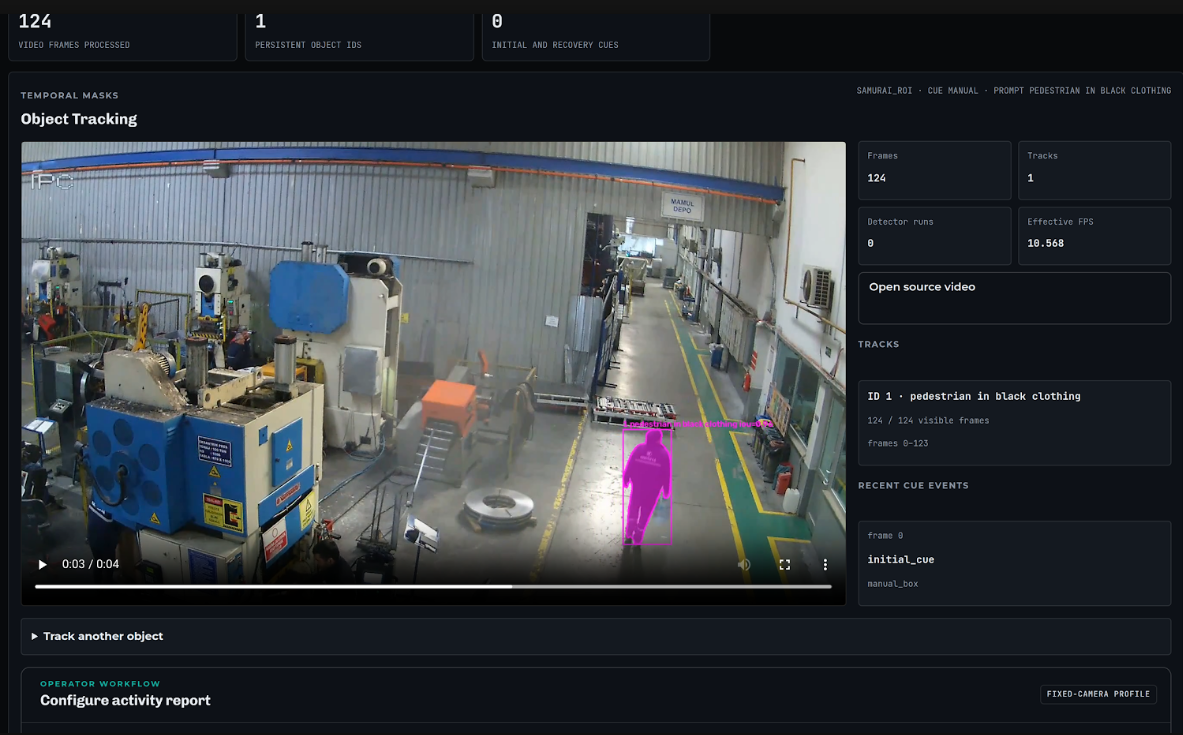
Follow a person, vehicle, or object
Select an object of interest and follow it through supported video. Analyze maintains a stable track through temporary occlusion or loss, helping investigators understand where the subject moved without manually scrubbing through the footage.

investigate
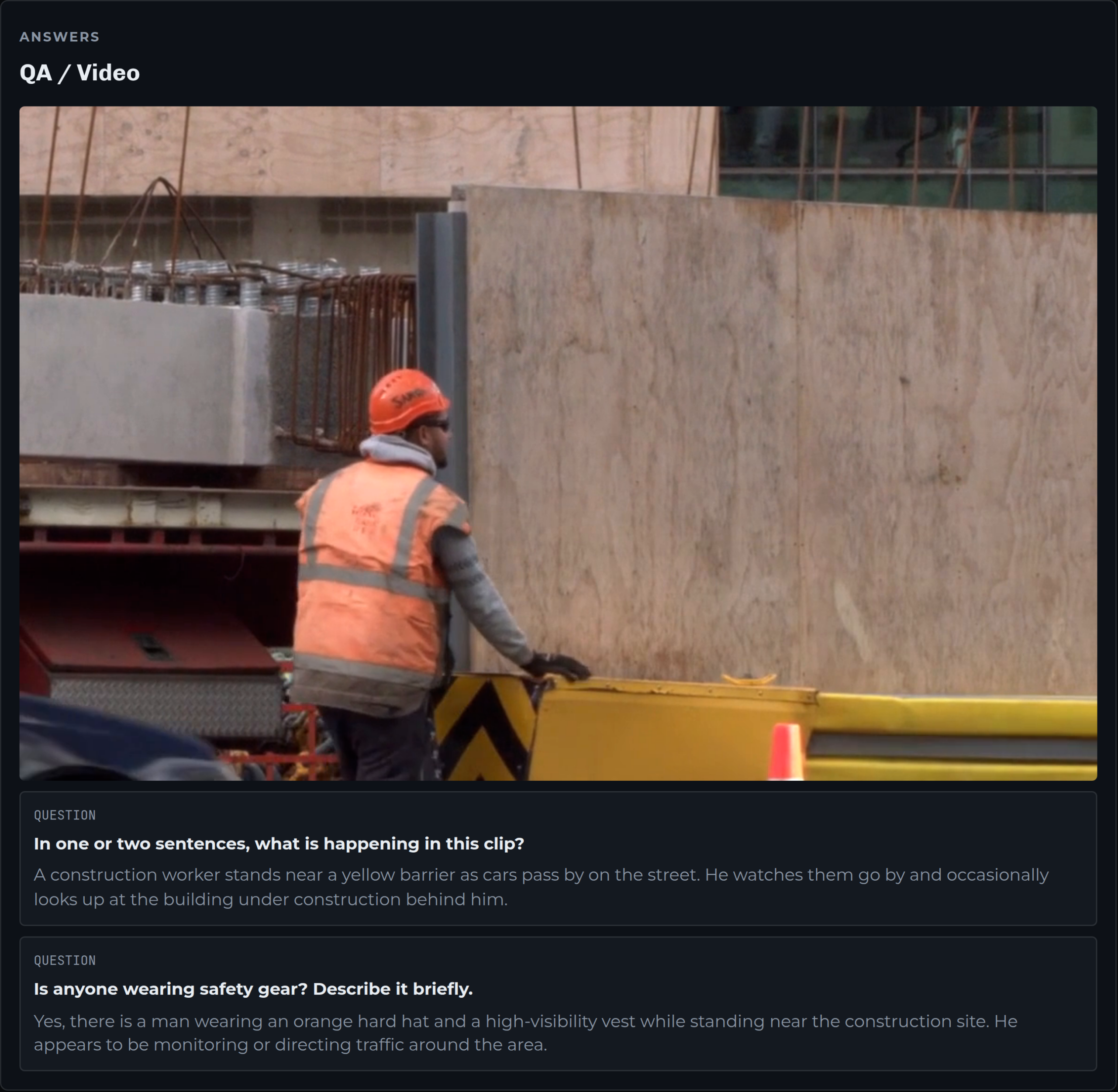
Ask questions about what happened
Examine relevant footage with visual analysis and natural-language queries. Investigate the sequence of events, compare observations, and use detections, tracks, measurements, and other analysis results to build a clearer picture of what happened.

report
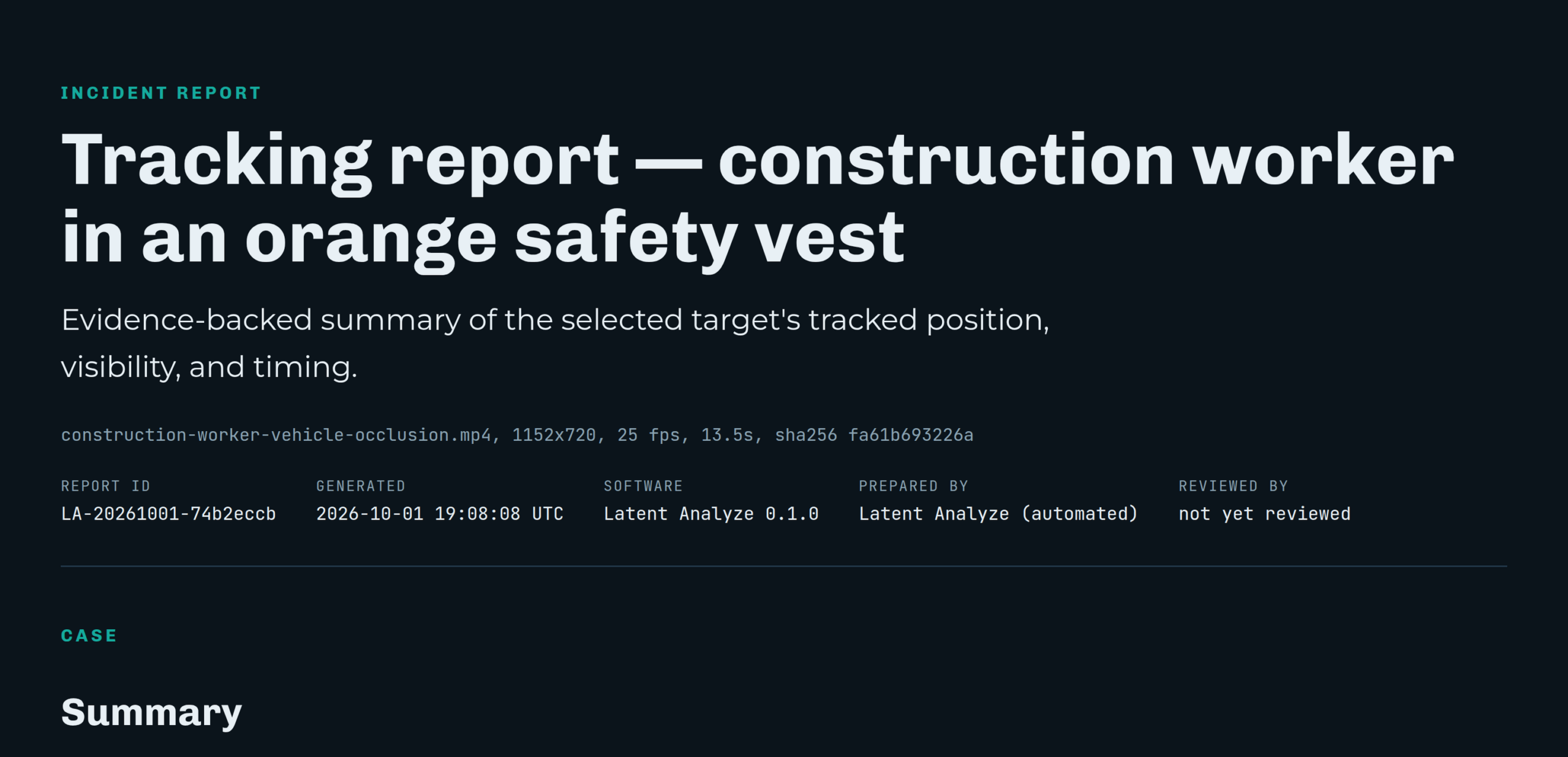
Turn analysis into a reviewable finding
Bring together relevant frames, clips, timestamps, detections, tracks, and observations into a structured incident package. Give investigators the evidence behind a finding instead of leaving them with a search result or generated summary alone.
FIND RELEVANT ACTIVITY
Search footage for what you’re looking for
Use natural-language descriptions to find people, vehicles, drones, objects, and other activity in recorded video. Start with a broad question, then narrow the search to the objects or activity that matter to the investigation.
TRACK THE ACTIVITY
Follow a person, vehicle, or object
Select an object of interest and follow it through supported video. Analyze maintains a stable track through temporary occlusion or loss, helping investigators understand where the subject moved without manually scrubbing through the footage.
investigate
Ask questions about what happened
Examine relevant footage with visual analysis and natural-language queries. Investigate the sequence of events, compare observations, and use detections, tracks, measurements, and other analysis results to build a clearer picture of what happened.
report
Turn analysis into a reviewable finding
Bring together relevant frames, clips, timestamps, detections, tracks, and observations into a structured incident package. Give investigators the evidence behind a finding instead of leaving them with a search result or generated summary alone.
Request a walkthrough to see how Latent Analyze helps teams search recorded video, investigate activity, and build evidence-backed findings while keeping sensitive footage on their infrastructure.
See how it works.
FAQ
Get answers about using Latent Analyze to search recorded video, investigate activity, and build evidence-backed findings while keeping sensitive footage on your infrastructure.
What is Latent Analyze?
Latent Analyze is AI video analytics software that helps operators and investigators find, investigate, and understand activity in recorded video. It combines computer vision with plain-language search and questions, and it runs on your own infrastructure.
What types of video can Latent Analyze work with?
Recorded video and supported datasets from your existing cameras. Capabilities include object detection, tracking, plain-language video search and questions, drone detection, and evidence packaging.
Can Latent Analyze work with live video?
Yes, in near real time. Captus Analyze can capture clips from RTSP video streams, either when a cue triggers it or for a set length, shows detections in the browser as they come in, and runs tracking and builds a report as each clip finishes.
Does Latent Analyze require the cloud?
No. Latent Analyze is designed for local, on-premises processing, so sensitive video stays in your environment.
Can it work with existing cameras?
Yes. It processes recordings from the camera systems you already have and can capture video from RTSP streams.
Can Latent Analyze track a person or object?
Yes. Select a subject and Latent Analyze follows it through the video, keeping the track through temporary occlusion or loss.
Can I search video using natural language?
Yes. Search video and ask questions about objects, activity, and events in plain language. Answers to questions are reviewed by a person before they become part of a report’s findings.
Does Latent Analyze generate reports?
Yes. Latent Analyze generates HTML and PDF reports with a report ID and prepared-by and reviewed-by fields. Each report comes with an evidence package: original-quality clips that aren’t re-encoded, plus SHA-256 hashes so reviewers can confirm nothing was altered.
Does Latent Analyze use facial recognition?
No. Latent Analyze doesn’t use facial recognition. It’s built around object detection, tracking, and visual analysis.
Where does my video data go?
Nowhere. Video stays on your infrastructure and is never sent to a cloud service.
What hardware does Latent Analyze require?
Hardware requirements depend on the video workload and deployment configuration. Contact us for supported configurations and recommendations.
How do I start a pilot?
Share representative footage or a test dataset. We’ll set up a pilot around your physical-security, defense, or investigation workflow.